Introduction to Game Crashes
For gamers in Malaysia, the thrill of diving into a new game can quickly turn into frustration when a game crashes unexpectedly. A game crash occurs when a game abruptly stops functioning, which can lead to lost progress and an interrupted gaming experience. In 2026, studies reveal that over 50% of gamers encounter crashes on a regular basis, highlighting the importance of understanding how to resolve them. Addressing these issues not only enhances the gaming experience but also helps maintain the integrity of your gaming setup.
Common Causes
Understanding the reasons behind game crashes is essential for troubleshooting effectively. Here are some common causes that Malaysian gamers might face:
- Hardware Issues: Inadequate RAM or an outdated GPU, such as those from NVIDIA or AMD, can lead to performance issues. Ensure your hardware meets the game’s requirements.
- Software Conflicts: Background applications, especially those consuming significant resources, can conflict with the game. Programs like Discord or streaming software may inadvertently cause crashes.
- System Requirements: Each game has minimum and recommended system requirements. Playing on systems that barely meet these can lead to instability.
- Outdated Drivers: Most crashes are attributed to outdated graphics or system drivers. Keeping your drivers updated is crucial for optimal performance.
Step-by-Step Solutions
If you're experiencing game crashes, don't worry. Here’s a comprehensive guide to troubleshoot and resolve these issues effectively:
- Check System Requirements: Verify that your hardware specifications meet the game's requirements. You can find these on platforms like Steam. If your system falls short, consider upgrading your hardware.
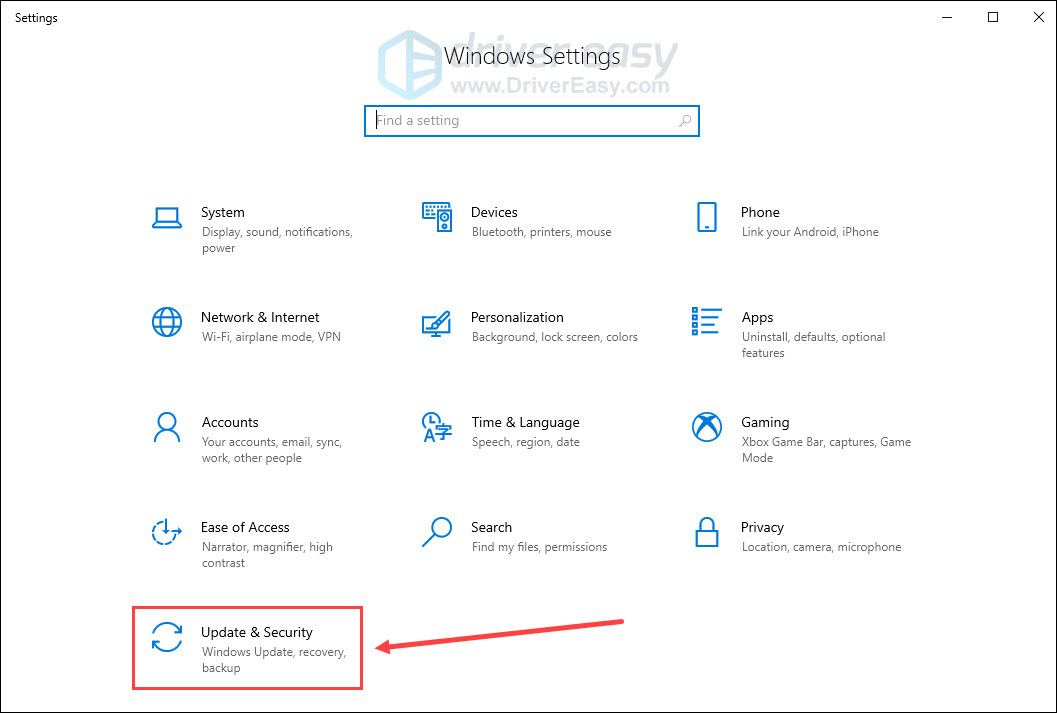
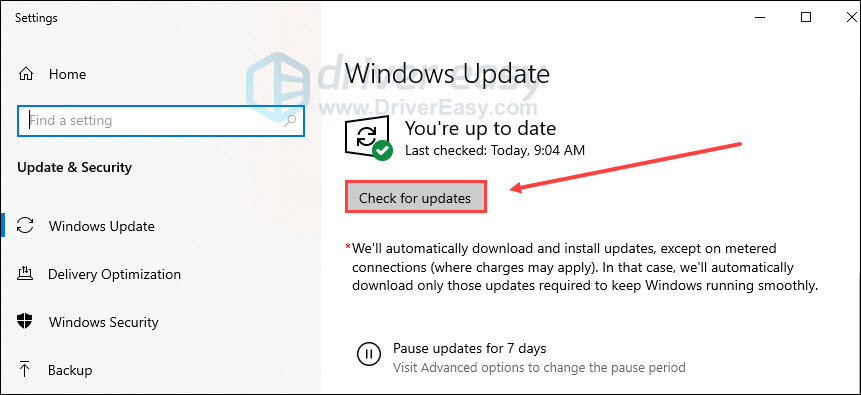
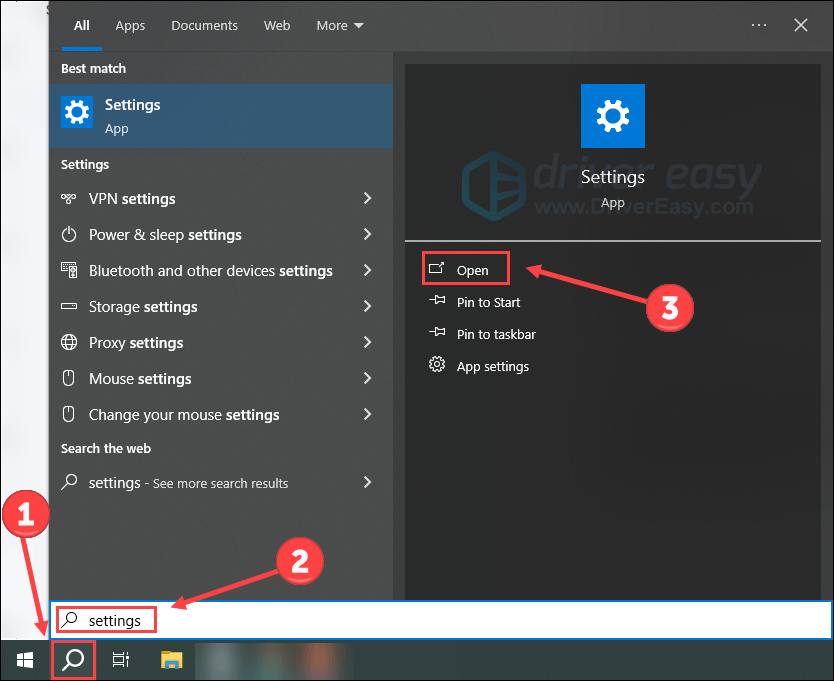
- Update Drivers: Regularly updating your graphics drivers from NVIDIA or AMD can prevent many crashes. Visit their official websites to download the latest drivers. Windows Update can also help ensure that your system’s drivers are current.
- Optimize Game Settings: Lowering the graphics settings in-game can enhance stability, especially if your hardware is on the lower end. Disable features such as anti-aliasing or shadows to improve performance.
- Close Background Applications: Before launching your game, close unnecessary applications that could be consuming system resources. This can free up RAM and CPU power for a smoother gaming experience.
- Verify Game Files: If you’re using Steam, utilize the “Verify Integrity of Game Files” feature. This will check for corrupted files and replace them as needed, which can resolve crashes stemming from file issues.
Prevention Tips
<pPreventing game crashes is just as important as resolving them. Here are some effective tips for maintaining system stability:
- Regular Updates: Keep your operating system and all software up to date. This includes game patches, driver updates, and system updates from Microsoft. Staying current can prevent many crashes.
- Hardware Maintenance: Regularly clean your PC to avoid dust buildup, which can lead to overheating and hardware failure. Consider upgrading components if your system struggles with newer games.
- Monitor System Performance: Use tools to monitor CPU, GPU, and RAM usage while gaming. This can help identify if you're overloading your system, allowing for adjustments before a crash occurs.
- Backup Saves: Regularly back up your game saves to prevent loss if a crash occurs. Many games have cloud save features available through platforms like Steam.
Frequently Asked Questions (FAQ)
What causes games to crash?
Games can crash due to various factors, including hardware limitations, outdated drivers, software conflicts, or simply not meeting the game's system requirements. Understanding these factors can help you troubleshoot effectively.
How can I prevent game crashes?
To prevent game crashes, ensure that your system meets the game’s requirements, keep your drivers updated, optimize game settings, and maintain your hardware. Regular system updates and monitoring your system's performance can also significantly reduce the likelihood of crashes.
By following these solutions and tips, Malaysian gamers can enhance their gaming experiences and minimize the frustrations caused by game crashes. Whether you're playing the latest blockbuster title or an indie gem, ensuring your system is well-maintained will keep you immersed in your gaming adventures without interruptions.