How to Fix Mobile Game Lag Without WiFi: Essential Tips for 2026
As mobile gaming continues to grow in popularity among Malaysian gamers, the frustration of lag can dampen the overall experience. Whether you're engaged in a competitive match or exploring vast open worlds, lag can be a significant hurdle. Fortunately, there are effective ways to fix mobile game lag without relying on WiFi. In this article, we will explore the common causes of lag, practical tips to reduce it, and how to optimize your device and settings for an improved gaming experience.
Common Causes of Lag
Understanding the factors that contribute to lag is crucial for Malaysian gamers aiming to enhance their mobile gaming performance. Several common causes include:
- Hardware Limitations: Older devices may struggle with high-performance games due to outdated processors or insufficient RAM.
- Software Issues: Background apps can consume valuable resources, leading to decreased performance in games.
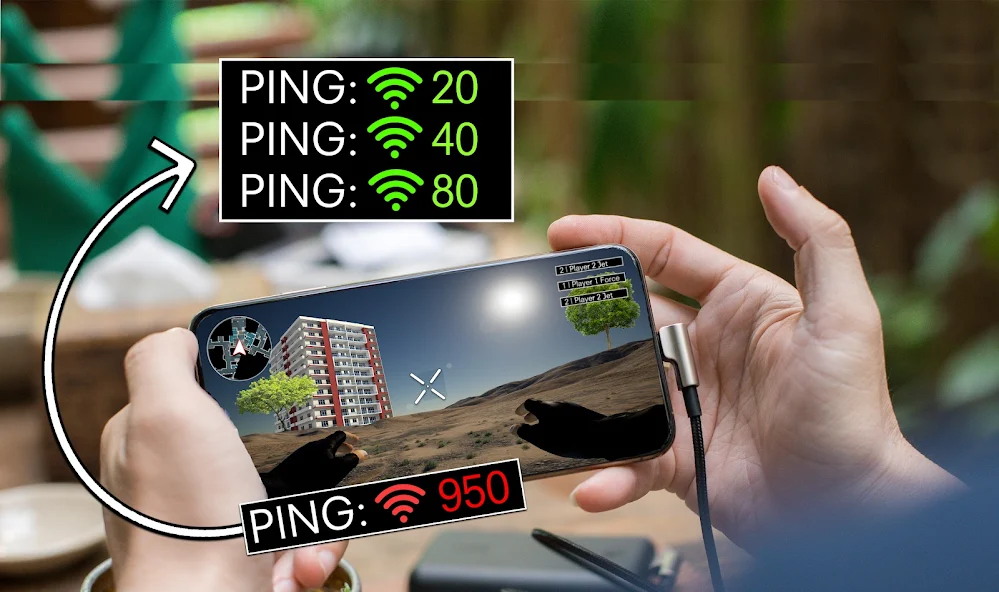
- Network Constraints: While WiFi is often a go-to for gaming, mobile data connections can sometimes be unstable, causing lag spikes.
Additionally, the graphical demands of modern games can overwhelm devices not designed for high-quality rendering, causing stuttering and delays. Identifying these issues is the first step towards achieving a smoother gaming experience.
Tips to Reduce Lag
Now that we understand the causes let's look at some practical strategies to reduce lag without needing a WiFi connection. Here are several tips that Malaysian gamers can implement:

- Close Background Apps: Ensure that all unnecessary applications are closed before launching your game. This will free up RAM and processing power.
- Enable Game Mode: Many devices come with a 'Game Mode' setting that optimizes performance by limiting background processes.
- Use Lite Versions of Games: If available, opt for lite versions of games that are less demanding on your device.
- Keep Your Device Cool: Overheating can affect performance. Avoid using your device while charging, and consider removing cases that might trap heat.
- Clear Cache Regularly: Clearing the cache of your gaming apps can help improve performance. This frees up space and allows for smoother operation.
Implementing these tips can lead to noticeable performance improvements, allowing for an uninterrupted gaming session.
Game Settings Optimization
Another way to combat mobile game lag is by optimizing in-game settings. Adjusting graphics settings can significantly enhance performance:
- Reduce Graphics Quality: Lowering the graphics settings can result in a smoother experience, especially on older devices. Most games offer options to adjust texture quality, shadows, and effects.
- Frame Rate Settings: If the game allows, set the frame rate to a lower setting (like 30fps) to reduce the load on your device.
- Disable Unnecessary Features: Turn off features such as motion blur, anti-aliasing, and high-resolution textures if they are not essential for your gaming experience.
Making these adjustments can be particularly beneficial for gamers using mid-range devices that might struggle with demanding graphics.
Hardware Considerations
The specifications of your mobile device play a significant role in gaming performance. Here are some hardware considerations for Malaysian gamers in 2026:
- Processor: Look for devices equipped with the latest processors, such as Snapdragon 8 series or their equivalent, as they provide improved performance and efficiency.
- RAM: Opt for devices with at least 6GB of RAM. This is crucial for multitasking and handling demanding games.
- Battery Performance: A device with a robust battery life will allow for longer gaming sessions without interruptions.
- Cooling Systems: Consider devices that feature advanced cooling systems to prevent overheating during extended gameplay.
Some of the top-performing devices in 2026 for mobile gaming include the Xiaomi Black Shark 5 Pro, ASUS ROG Phone 6, and Samsung Galaxy S22 Ultra. These devices are specifically designed to enhance the mobile gaming experience.
Software Tweaks
Lastly, optimizing your software can make a substantial difference in gaming stability. Here are some adjustments you can make:
- Manage Background Processes: Use the settings on your device to manage and limit background processes that may consume bandwidth and processing power.
- Update Your Apps: Ensure that your games and device software are up-to-date. Developers often release patches to improve performance and fix bugs.
- Uninstall Unused Apps: Free up space and resources by uninstalling apps that you no longer use. This can help your device run more smoothly.
These software tweaks can significantly enhance your gaming experience, providing the stability required for competitive play.
Frequently Asked Questions
What causes mobile game lag?
Mobile game lag can be caused by a variety of factors, including hardware limitations, software issues, and network constraints. Older devices may struggle with high-performance games, while background apps consume valuable resources, leading to decreased performance.
How do I improve mobile gaming performance?
Improving mobile gaming performance involves a combination of closing background apps, optimizing game settings, and ensuring your device's hardware is up to par. Regularly clearing cache and managing software can also contribute to a smoother gaming experience.
By implementing these strategies and understanding the sources of lag, Malaysian gamers can significantly enhance their mobile gaming experience in 2026. Enjoy the thrill of gaming without the frustration of lag!