Unlocking XAPK Files on Your Mac: A Simple Approach for 2026
The Malaysian gaming community is thriving, with a plethora of mobile games available to play. However, many gamers encounter a common hurdle when trying to install games from unofficial sources: the XAPK file format. If you've ever wondered how to open XAPK files on your Mac, you’re not alone! This guide will break down everything you need to know about XAPK files, how to handle them on macOS, and the software you'll need to make it all happen.

What is an XAPK File?
An XAPK file is essentially a package that contains an Android application (APK) along with additional data files required for the app to function correctly. This additional data can include graphics, media files, and other essential components that enhance the gaming experience. Because these files are not natively supported on macOS, they can pose a challenge for Mac users who want to enjoy Android games.
Primarily, XAPK files are used to install games and applications from third-party sources, which is quite common among mobile gamers in Malaysia. They offer a convenient way to bundle everything needed for a game into a single file, making it easier to download and install. However, the downside is that they cannot be opened directly on Mac without the right tools.
How to Open XAPK Files
To successfully open an XAPK file on your Mac, you'll need to follow a few simple steps. Here’s a step-by-step guide to help you navigate this process:
- Download an Android Emulator: Since XAPK files are designed to work on Android devices, you'll need an Android emulator. Popular options include Bluestacks and NoxPlayer.
- Install the Android Emulator: Once you’ve downloaded your chosen emulator, go through the installation process. This is straightforward, but ensure you follow all prompts to set it up correctly.
- Open the Emulator: Launch the emulator after installation. It may take a few moments to set up the environment.
- Locate the XAPK File: Find the XAPK file you want to open. You can do this by navigating to your Downloads folder or wherever you saved the file.
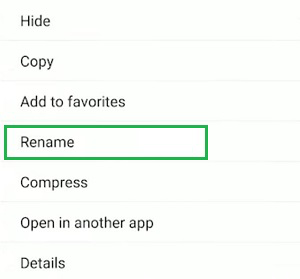
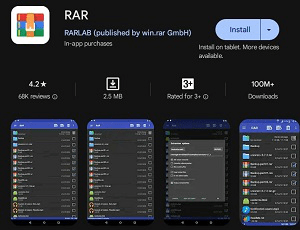
- Use a File Extraction Tool: Since XAPK files are essentially ZIP files, you may need to extract them. Tools like WinRAR or The Unarchiver can be helpful. Right-click the XAPK file and choose to extract it.
- Install the APK File: After extraction, locate the APK file within the extracted folder. Double-click it, and it should open in your emulator, allowing you to install the game.
Software Requirements
To effectively open XAPK files on your Mac, you’ll need to ensure that you have the right software. Here’s a shortlist of the essential tools:
- Android Emulator: As mentioned, Bluestacks and NoxPlayer are the top choices. They create a virtual Android environment on your Mac, allowing you to run Android applications seamlessly.
- File Extraction Tools: Since XAPK files are compressed, you’ll need a tool like The Unarchiver or WinRAR to extract the APK file from the XAPK package. These tools are usually free and easy to install.
- Updated macOS: Ensure your operating system is up to date. This can help avoid compatibility issues with the emulator and extraction tools.
Troubleshooting
Even with the right tools, you might encounter some issues while trying to open XAPK files. Here are common problems and their solutions:
- Emulator Not Opening: If your emulator fails to launch, check if it is compatible with your macOS version. You may need to install an updated version or try a different emulator.
- Installation Errors: If the APK doesn't install correctly, ensure that the extracted files are complete and that you are using the latest version of the emulator.
- File Corruption: Sometimes, XAPK files may get corrupted during downloads. If you encounter errors, try downloading the file again from a reliable source.

FAQs
Here are some frequently asked questions about XAPK files, particularly in the context of using them on Mac:
- What software do I need to open XAPK files on Mac? You need an Android emulator such as Bluestacks or NoxPlayer and a file extraction tool like The Unarchiver to handle XAPK files on your Mac.
- Can XAPK files be opened directly on Mac? No, XAPK files cannot be opened directly on macOS. They require an Android emulator to run the APK contained within them.
- Are XAPK files safe to use? While many XAPK files are safe, it's crucial to download them from reputable sources to avoid malware. Always ensure your antivirus software is active.
Understanding how to open XAPK files on your Mac can significantly enhance your gaming experience, especially when diving into the latest mobile games. By following the guidelines above, you’ll be well-equipped to tackle any XAPK file you encounter. Happy gaming!