Understanding Latency
In the vibrant Malaysian gaming community, latency is a term that every gamer should be familiar with. Simply put, latency refers to the delay between a player’s action and the game’s response. It’s often described in milliseconds (ms), and high latency can lead to frustrating experiences, especially in fast-paced multiplayer games where every second counts. A noticeable lag can mean the difference between victory and defeat, making understanding and reducing latency crucial for any serious gamer.
Several factors contribute to latency in Android games. These include network speed, the performance of your device, and even the game’s server location. For instance, if you're playing a game hosted on a server far from Malaysia, the data has to travel a longer distance, increasing latency. Similarly, a crowded network can slow down your connection, resulting in higher input lag. Understanding these causes can empower you to take actionable steps to improve your gaming experience.
Tips to Reduce Latency
Now that we’ve established the significance of latency, let’s explore some practical tips to reduce Android game latency. These strategies can enhance your gaming experience by optimizing your device and network settings.
- Optimize Network Settings: Check your Wi-Fi settings and ensure you are connected to a 5GHz network if available. This frequency band is less congested than the 2.4GHz band, which can lead to improved speeds and lower latency.
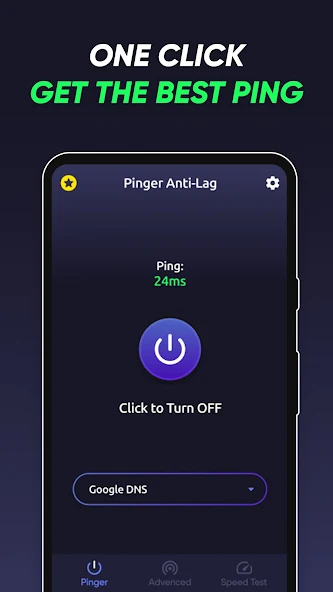
- Use Game Boosters: Game boosters are applications designed to enhance your device’s performance during gaming sessions. They can free up RAM and prioritize gaming traffic, leading to a smoother experience. Many Android devices come with built-in game optimization features, so explore those options.
- Update Your Device: Keeping your Android device updated ensures that you have the latest optimizations and bug fixes, which can positively affect performance. Regularly check for updates in your settings.
- Close Background Apps: Apps running in the background can consume bandwidth and processing power. Before starting a gaming session, close unnecessary applications to free up resources.
- Change DNS Settings: Switching to a faster DNS server can often improve response times. Consider using public DNS services like Google DNS or Cloudflare DNS for better latency.

Best Settings for Android Games
Different Android brands offer various features to optimize gaming performance. Here’s how you can configure settings for popular devices like Samsung, Xiaomi, and OnePlus to reduce latency effectively:
Samsung
Samsung devices often come with a Game Mode feature. To activate this:
- Go to Settings > Advanced Features > Game Booster.
- Enable Game Mode to optimize performance during gaming sessions.
- Adjust the settings to limit background data usage and enhance performance.
Xiaomi
Xiaomi’s MIUI offers a built-in Game Turbo feature:
- Navigate to Settings > Battery & Performance > Game Turbo.
- Add your favorite games and enable performance settings.
- Utilize the option to block notifications while gaming for fewer distractions.
OnePlus
OnePlus devices are equipped with Fnatic Mode, which can be activated as follows:
- Open the Game Space app.
- Select the game you wish to optimize and toggle Fnatic Mode.
- This prioritizes your game’s performance and minimizes interruptions.
How Network Speed Affects Gaming
The relationship between network speed and gaming performance is direct and crucial. In Malaysia, many gamers rely on mobile data and Wi-Fi connections that can vary greatly in speed and stability. Lower network speeds often lead to increased latency, causing delays that can hinder your performance.
For optimal gaming, a stable internet connection with download speeds of at least 15 Mbps is recommended. However, for competitive gaming, faster speeds with minimal jitter and packet loss are ideal. Consider using a wired connection where possible, as it typically offers lower latency compared to Wi-Fi.
Additionally, if you’re gaming on the go, try to avoid crowded networks. Public Wi-Fi, often found in cafes or malls, can be unreliable and prone to congestion, leading to higher latency. Instead, using a personal hotspot can provide a more stable connection.
FAQ
What causes latency in Android games?
Latency in Android games can be caused by various factors, including network speed, server distance, device performance, and background applications consuming resources. Understanding these factors helps gamers make informed decisions to enhance their gaming experience.
Can game boosters really help?
Yes, game boosters can significantly improve device performance by reallocating resources, reducing background app interference, and prioritizing gaming traffic. This can lead to reduced latency and a smoother gaming experience.
By implementing these strategies and understanding the factors contributing to latency, Malaysian gamers can enjoy a more responsive and enjoyable gaming experience in 2026 and beyond. Whether you’re a casual player or a competitive gamer, taking the time to optimize your setup can lead to significant improvements in your gameplay.