Introduction
Game lag is a common frustration experienced by gamers, especially those using a Mac. This issue can be particularly disheartening when you're in the middle of an intense gaming session, and every second counts. For Malaysian gamers, where online multiplayer games have become increasingly popular, troubleshooting game lag is essential for an optimal experience. In this article, we will explore effective ways to troubleshoot game lag on your Mac, ensuring a smoother gaming experience for all players.
Common Causes of Game Lag
Before diving into troubleshooting steps, it’s crucial to understand what might be causing the game lag on your Mac. Here are some of the most common culprits:
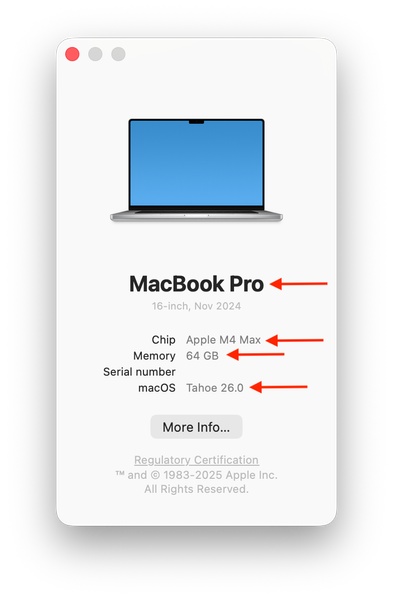
- Hardware Limitations: Macs, particularly older models, may struggle to run graphically intensive games due to insufficient RAM or a less powerful GPU.
- Software Conflicts: Background applications and processes might consume valuable system resources, leading to lag. This includes anything from web browsers to system updates that run in the background.
- Network Issues: A stable internet connection is vital for online gaming. Slow Wi-Fi or high latency can significantly impact gameplay, making it feel sluggish.
Understanding these factors can help you pinpoint what’s affecting your gaming experience. For many Malaysian gamers, network inconsistency due to various ISP issues can be particularly troublesome.
Basic Troubleshooting Steps
Now that we’ve identified the common causes of game lag on your Mac, let’s look at some basic troubleshooting steps to address these issues:
- Close Background Applications: Before launching your game, close unnecessary applications. This frees up RAM and CPU resources, which can improve performance.
- Check for System Updates: Ensure your macOS is up to date. Apple frequently releases updates that can improve performance and compatibility with games.
- Lower Graphics Settings: In-game settings can often be adjusted. Reducing the graphics quality can lead to smoother gameplay, especially on older Macs.
- Restart Your Mac: A simple restart can clear out temporary files and processes that may be causing lag.
Implementing these steps can often resolve minor lag issues. The screenshot below illustrates how to check for updates on your Mac:
Advanced Solutions
If basic troubleshooting doesn't resolve your lag issues, consider some advanced solutions. These methods require a bit more technical know-how but can lead to significant improvements:
- Optimize Game Settings: Dive into the game’s graphics settings and experiment with different configurations. Lowering shadow details, disabling anti-aliasing, and turning off Vsync can help.
- Adjust Network Configurations: For online gaming, optimizing your network settings can make a noticeable difference. Consider using an Ethernet connection instead of Wi-Fi for a more stable connection.
- Upgrade Your Hardware: If your Mac is still lagging, it might be time for an upgrade. Increasing RAM or switching to an SSD can drastically enhance gaming performance.
- Utilize Game Mode or Performance Profiles: Some Mac models come with specific settings for gaming. Check if yours has a game mode that prioritizes CPU and GPU for gaming.
These advanced steps can be highly effective, especially for those engaged in competitive gaming where every millisecond counts. By optimizing your hardware and network settings, you can enhance your overall gaming experience.
Conclusion
In summary, troubleshooting game lag on your Mac involves understanding the common causes and implementing both basic and advanced solutions. By closing unnecessary applications, checking for updates, and possibly optimizing your game settings, you can significantly reduce lag and improve your gaming experience. For Malaysian gamers, these tips are particularly relevant given the local gaming landscape and common network issues. Remember, a smoother gaming experience awaits you—don’t hesitate to put these tips into action!
FAQs
- What causes game lag on Mac? Game lag on Mac can be caused by hardware limitations, software conflicts, and network issues, all of which can hinder performance during gameplay.
- How can I reduce lag in online games on Mac? To reduce lag in online games, ensure your system is updated, close background applications, and consider using a wired internet connection for stability.