Understanding Ping
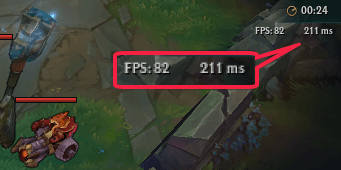
In the realm of online gaming, particularly in games like League of Legends, the concept of ping plays a crucial role in shaping your gaming experience. Ping, measured in milliseconds (ms), refers to the time it takes for your computer to send a signal to the game server and receive a response. This measurement is a direct representation of latency, which indicates the delay between your actions and their registration in the game. A lower ping means a more responsive gaming experience, whereas a higher ping can lead to frustrating delays, causing your character to lag or miss crucial in-game actions.
In Malaysia, where diverse internet infrastructures exist, understanding and managing your ping can significantly impact your gameplay. High ping can result from various factors, including network congestion, poor routing, and even the type of connection you’re using. Therefore, learning how to reduce ping in League of Legends is essential for every Malaysian gamer striving for competitive success.

Methods to Reduce Ping
Reducing ping requires a multifaceted approach. Here are some techniques that Malaysian gamers can implement to optimize their connection:
- Use a Wired Connection: Switching from a wireless connection to a wired Ethernet connection can significantly lower ping. Wired connections are more stable and less prone to interference, providing a direct route to the game server.
- Optimize Network Settings: Adjusting your router settings can improve your connection. Enable Quality of Service (QoS) settings to prioritize gaming traffic, ensuring that your gaming packets take precedence over other types of data.
- Close Background Applications: Before launching League of Legends, ensure that unnecessary applications, especially those that use the internet, are closed. This frees up more bandwidth for your game, reducing ping.
- Change DNS Settings: Switching to a faster DNS server can reduce latency. You might consider using Google DNS (8.8.8.8 and 8.8.4.4) or Cloudflare DNS (1.1.1.1) for potentially faster resolution times.
- Monitor Network Traffic: Use network monitoring tools to identify any bandwidth-hogging applications or devices on your network that may be causing high ping. Disconnecting or limiting their usage can help.

Implementing these methods can significantly improve your gaming experience. However, it’s essential to understand that the effectiveness of these techniques can vary based on your specific internet setup and local conditions in Malaysia.
Choosing the Right ISP
In Malaysia, the choice of Internet Service Provider (ISP) can greatly influence your gaming experience. Not all ISPs are created equal, and selecting one that offers optimal speed and low latency is crucial for gamers. Here are some tips to help you choose the right ISP for gaming:
- Research Local ISPs: Not all providers have the same infrastructure or reach. Research ISPs that operate efficiently in your area, considering user reviews and reports on their performance.
- Check for Fiber Optic Options: Fiber optic connections typically offer the best speed and lowest latency compared to DSL or cable. If available, consider switching to a fiber optic plan for an enhanced gaming experience.
- Look for Unlimited Plans: Some ISPs impose data caps that can throttle your connection speed once exceeded. Opt for unlimited plans to avoid sudden drops in performance during crucial gaming sessions.
- Inquire About Gamers’ Packages: Some ISPs offer specific packages designed for gamers, which may include lower latencies and optimized routing to gaming servers.
- Test Your Connection: Before committing to a long-term plan, look for ISPs that allow you to trial their service. Testing the ping and overall connection quality with League of Legends can be a decisive factor.
By carefully considering these factors, you can select an ISP that meets your gaming needs, ensuring that lag and latency are minimized.
VPNs and Gaming
Many gamers in Malaysia are curious about using a Virtual Private Network (VPN) to reduce ping in League of Legends. While some may think VPNs can only slow down their connections, the reality is more nuanced. Here’s an analysis of the pros and cons of using a VPN for gaming:
- Pros:
- Optimized Routing: Certain VPN services offer optimized routes to game servers, which can reduce ping dramatically. This is especially beneficial if your ISP takes a less efficient route.
- Bypass Throttling: If your ISP is known to throttle gaming traffic, a VPN can help you bypass these restrictions, potentially leading to improved speeds.
- Cons:
- Increased Latency: If the VPN server is far from your location or poorly optimized, it can actually increase your latency, resulting in higher ping.
- Potential for Bandwidth Caps: Some VPNs may impose bandwidth limitations, which could hinder your gaming experience.
For Malaysian gamers, it’s crucial to choose a reputable VPN service known for its low latency and fast speeds. Some popular options include ExpressVPN, NordVPN, and CyberGhost, which have been noted for their effectiveness in optimizing gaming connections.
FAQs
- What is a good ping for gaming? A ping under 50 ms is generally considered excellent for gaming. Between 50 ms and 100 ms is acceptable for most online games, while anything above 100 ms can start to affect your gameplay negatively.
- What causes high ping in games? High ping can be caused by various factors including network congestion, poor routing, the quality of your internet connection, the distance from the game server, and even the type of connection (wired vs. wireless).
Reducing ping in League of Legends is essential for a smooth and competitive gaming experience. By understanding the factors that contribute to latency, employing effective techniques, choosing the right ISP, and considering the use of a VPN, Malaysian gamers can significantly enhance their performance on the battlefield.