Understanding Game Crashes
For Malaysian gamers, experiencing a game crash on an Android device can be incredibly frustrating, especially when you're in the middle of an intense gaming session. Game crashes can occur for various reasons, but one of the most significant factors is low RAM. As mobile games become more graphics-intensive and feature-rich, the demand on your device's resources also increases. Low RAM can lead to insufficient memory for the game to run smoothly, resulting in crashes.
In 2026, many devices still struggle with the memory requirements of newer games. When your Android has low RAM, it can’t handle multiple processes or demanding graphics, which can lead to unexpected closures or freezes. Factors such as background applications, outdated software, and even the specific game itself can contribute to this problem. Understanding these causes is crucial for reducing game crashes and enhancing your overall gaming experience.
Tips to Optimize Performance
To ensure a smoother gaming experience and minimize the likelihood of game crashes due to low RAM, here are some actionable tips tailored for Malaysian gamers:
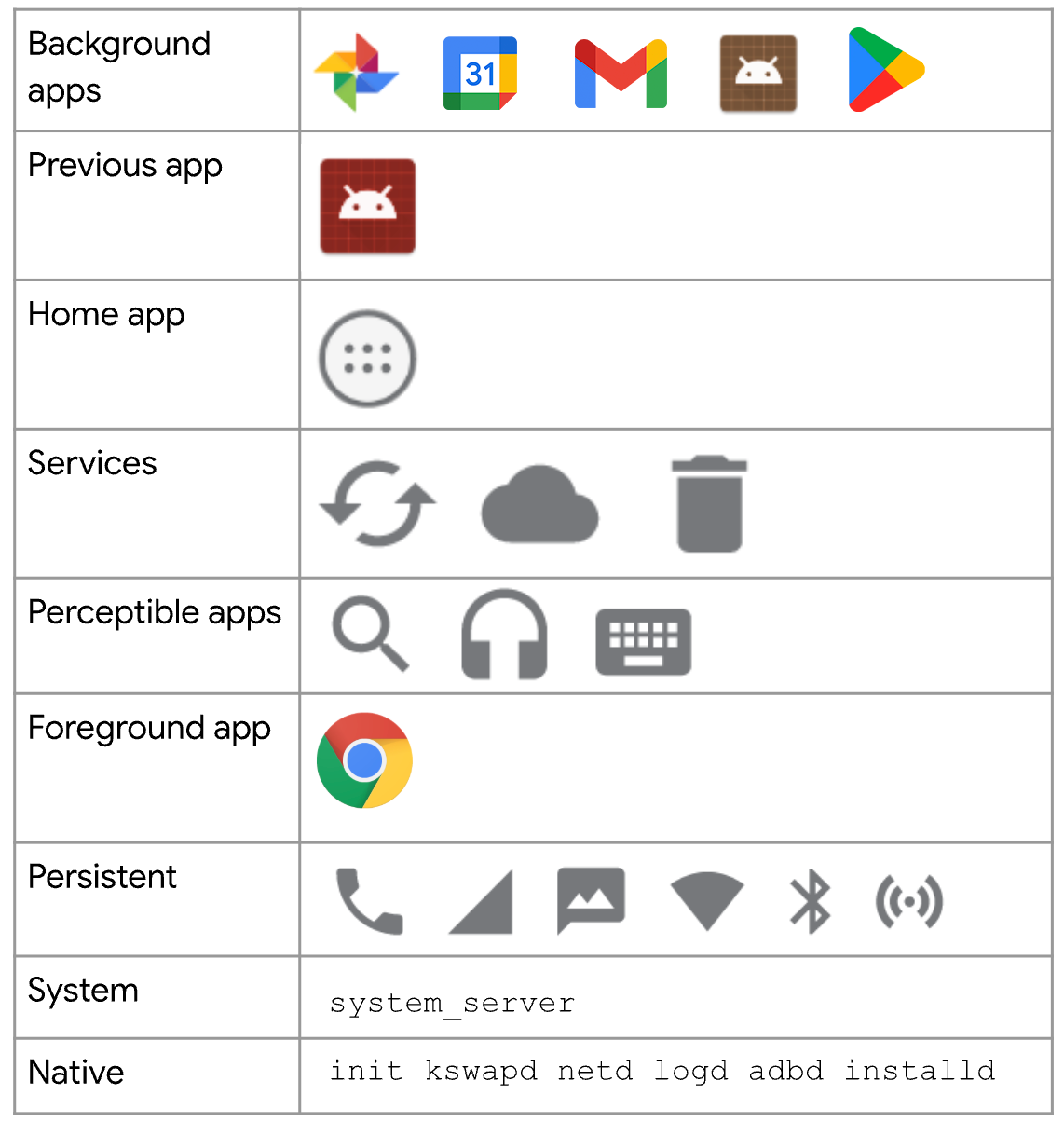
- Close Background Apps: Before launching your game, make sure to close any unnecessary applications running in the background. This will free up valuable RAM and processing power for your game.
- Reduce Graphics Settings: Many games allow you to adjust graphics settings. Lowering these settings can significantly reduce the strain on your device's RAM and CPU.
- Clear Cache: Regularly clear the cache of your games and apps. This can help free up memory and improve performance. Go to Settings > Apps > [Your Game] > Storage > Clear Cache.
- Use Lite Versions: Consider downloading lite versions of your favorite games if available. These versions are optimized for devices with lower memory and processing capabilities.
- Regular Updates: Always keep your games and operating system updated. Developers frequently release updates that optimize performance and fix bugs that may cause crashes.
Common Fixes
If you find that your games are crashing frequently, try these common troubleshooting steps:
- Restart Your Device: Sometimes, a simple restart can resolve temporary issues with RAM management and app performance.
- Uninstall Unused Apps: Free up RAM by removing apps you no longer use. This can help improve your device's overall performance.
- Check Device Storage: Ensure you have adequate storage available. Low storage can sometimes lead to performance issues, including game crashes.
- Factory Reset: As a last resort, consider a factory reset to give your device a fresh start. Be sure to back up your data before proceeding.
FAQs
What causes games to crash on Android?
Game crashes on Android can be attributed to several factors, including low RAM, background applications consuming resources, outdated software, and poorly optimized games. In low RAM situations, the device simply lacks the necessary memory to run the game smoothly, leading to unexpected crashes.
How can I improve my Android's performance?
Improving your Android's performance involves several strategies: regularly closing background applications, clearing cache, uninstalling unnecessary apps, reducing graphics settings in games, and ensuring your device is updated. These steps can collectively enhance your device's efficiency and reduce the likelihood of game crashes.
By implementing these tips and understanding the causes of game crashes, Malaysian gamers can significantly improve their gaming experience. Low RAM doesn’t have to mean low performance; with the right strategies, you can enjoy your favorite games without interruption.