What is Game Mode?
Game Mode is a specialized feature on Android devices designed to optimize the performance and overall experience of gaming. By prioritizing system resources, Game Mode enhances gaming performance, reduces interruptions, and can even extend battery life during gaming sessions. This functionality is especially appreciated in the Malaysian gaming community, where mobile gaming is immensely popular. Whether you're battling it out in "Mobile Legends: Bang Bang" or exploring the vast worlds of "Genshin Impact," Game Mode is your ally for a smoother experience.

In essence, Game Mode adjusts various settings on your device to ensure that gameplay is as seamless as possible. It can block notifications, allocate more CPU and GPU resources to your games, and even tweak settings to reduce lag. This feature is a game-changer for serious gamers in Malaysia who want to take their skills to the next level without the hindrance of distractions.
How to Enable Game Mode
Enabling Game Mode is a straightforward process, but it may differ slightly depending on your Android device brand. Below, we provide step-by-step instructions for some of the most popular brands in Malaysia.
Samsung
- Open the Settings app.
- Scroll down and tap on Advanced Features.
- Select Game Launcher.
- Toggle on Game Mode to activate it.
Google Pixel
- Access the Settings app.
- Go to Apps & notifications.
- Select Special app access.
- Choose Game Mode and enable it.
OnePlus
- Open the Settings app.
- Navigate to Utilities.
- Tap on Gaming Mode and switch it on.
Xiaomi
- Go to the Settings app.
- Tap on Special Features.
- Find and activate Game Turbo.
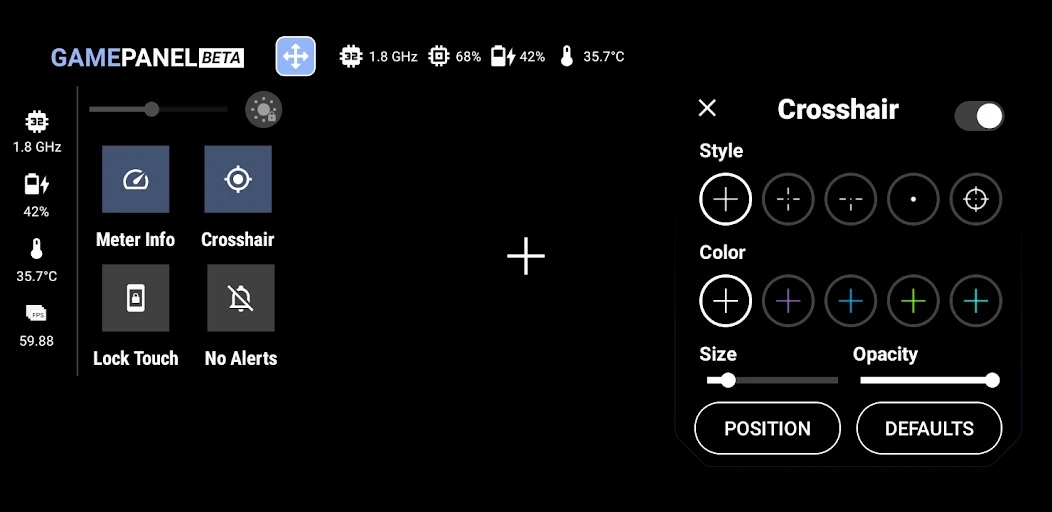
After following these steps, you should be able to enjoy an enhanced gaming experience. Remember that the steps can vary slightly based on your device's Android version, so always check for any updates that may affect your Game Mode settings.
Benefits of Game Mode
Game Mode is more than just a fancy label; it brings tangible benefits that significantly improve your gaming experience. Here are some of the key advantages:
- Performance Improvements: Game Mode allocates resources efficiently, ensuring your games run smoothly without lag, which is essential for competitive gaming in Malaysia.
- Reduced Distractions: By blocking notifications and calls, Game Mode allows you to focus entirely on your game, minimizing interruptions during crucial moments.
- Battery Optimization: Many devices automatically adjust power settings to extend battery life during gaming sessions, allowing for longer play without the need for frequent recharges.
- Customizable Settings: Some brands allow you to customize Game Mode settings based on your preferences, such as adjusting the screen brightness and performance levels.
These benefits make Game Mode a must-have feature for gamers in Malaysia, where the competition can be fierce, and every advantage counts. With a smoother performance and reduced distractions, gaming can be more enjoyable and immersive.
Troubleshooting Game Mode
Even with its numerous benefits, users may encounter issues when activating or using Game Mode. Here are some common problems and their solutions:
- Game Mode Not Activating: Ensure that your device is updated to the latest software version. Sometimes, updates can fix bugs that prevent Game Mode from functioning properly.
- Inconsistent Performance: If you notice performance issues even with Game Mode active, try closing background applications to free up resources.
- Notifications Still Coming Through: Check your Game Mode settings to ensure that notifications are indeed blocked. Some devices allow you to customize which notifications to silence.
If these solutions do not resolve your issues, consider reaching out to the customer support of your device brand for further assistance.
Device Compatibility
Game Mode is not available on all Android devices, and compatibility can vary by brand and model. Here’s a list of popular brands and models commonly found in Malaysia that support Game Mode:
- Samsung: Galaxy S series, Galaxy Note series, Galaxy A series
- Google: Google Pixel 5 and later
- OnePlus: OnePlus 6 and later
- Xiaomi: Mi series, Redmi Note series
- Oppo: Reno series
While these devices are known for supporting Game Mode, it’s always a good idea to check your specific model’s specifications to confirm compatibility.
Frequently Asked Questions
What is Game Mode on Android?
Game Mode on Android is a feature that optimizes your device for gaming by prioritizing system resources, reducing distractions, and enhancing overall performance during gaming sessions.
Is Game Mode available on all Android devices?
No, not all Android devices come with Game Mode functionality. Its availability largely depends on the manufacturer and model of your device. Popular brands like Samsung, Google, OnePlus, and Xiaomi offer Game Mode in their recent models.
By enabling Game Mode on your Android device, you can significantly enhance your gaming experience, making it more enjoyable and competitive. So gear up, activate Game Mode, and dive into your favorite games with confidence!