Introduction
In the fast-paced world of mobile gaming, lagging and low frame rates can be a player's worst nightmare. Enter game boosters, essential tools designed to enhance game performance by optimizing your device's resources. In 2026, Malaysian gamers are increasingly turning to these apps to ensure a smoother, more immersive gaming experience. Game boosters can reduce lag and improve FPS, allowing you to enjoy your favorite titles without interruptions.

In this article, we'll explore how to use game boosters on Android devices effectively, discuss the best options available in 2026, and provide tips on configuration and performance testing tailored for the Malaysian gaming community.
How to Use Game Boosters
Using a game booster may seem daunting, but with the right guidance, you can maximize your gaming potential in just a few simple steps. Below, we will break down the process into manageable sections, starting with installation.
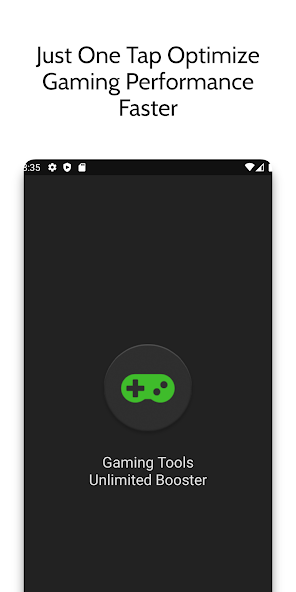
Installation
Installing a game booster on your Android device is straightforward. Follow these steps:
- Open Google Play Store: Launch the Play Store app on your Android device.
- Search for Game Boosters: Type "game booster" into the search bar. You'll find various options available, many of which are free.
- Choose a Game Booster: Look for top-rated apps with good reviews. Popular options include Game Booster, GFX Tool, and Game Optimizer.
- Install the App: Click on the "Install" button and wait for the download to complete.
Once installed, you’re ready to configure your game booster for optimal performance. This is crucial for maximizing your gaming experience in Malaysia, where connectivity can sometimes be an issue due to varying internet speeds.
Configuration
To get the best results from your game booster, configuration is key. Here are some tips to help you set it up:
- Adjust Performance Settings: Most game boosters have performance modes. Choose the one that fits your gaming style—whether you're looking for speed or battery preservation.
- Close Background Apps: Ensure that unnecessary apps are closed to free up RAM and CPU resources.
- Network Optimization: Some boosters allow you to prioritize your gaming app's network usage. Enable this feature to reduce lag during online gaming.
- Graphics Settings: Adjust the graphics settings for individual games within the booster app to find the best balance between visuals and performance.
With your game booster installed and configured, you’re now equipped to enhance your mobile gaming experience significantly.
Best Game Boosters
In 2026, several game boosters stand out in the Malaysian market. Here’s a list of some of the best options available:
- Game Booster: A simple, effective tool that optimizes your device during gameplay. It frees up RAM and enhances FPS.
- GFX Tool: Ideal for gamers of PUBG Mobile, this app allows you to tweak graphics settings for better performance without compromising on visuals.
- Game Optimizer: This app not only boosts performance but also monitors your device's temperature, ensuring it doesn't overheat during intense gaming sessions.
- Dr. Booster: Known for its user-friendly interface, Dr. Booster optimizes your games and improves loading times efficiently.
All these apps can be found on the Play Store and are equipped with features tailored to enhance game performance in various scenarios.
Settings and Configuration
Now that you know which game boosters to consider, let's delve deeper into specific settings that can enhance performance further:
- Game Mode: Some boosters come with a dedicated "game mode" that automatically configures settings when a game is launched. Enable this feature for seamless optimization.
- Boost Button: Look for a boost button that can instantly allocate more resources to your game. It’s perfect for when you need that extra edge in competitive scenarios.
- RAM Cleaner: Use built-in RAM cleaning tools to clear memory before you start gaming. This can significantly reduce lag, especially in resource-heavy games.
These settings can lead to noticeable improvements in your gaming experience, particularly for popular titles among Malaysian gamers like Mobile Legends and Call of Duty Mobile.
Testing Performance
After setting up your game booster, it’s essential to evaluate its effectiveness. Here are some methods to test performance:
- Frame Rate Monitoring: Use apps like GameBench or FPS Meter to monitor your game's frame rates before and after using a game booster. A higher FPS indicates a successful optimization.
- Ping Tests: Conduct ping tests during online gameplay to identify any improvements in network latency. A lower ping is crucial for smooth multiplayer experiences.
- Battery Usage Monitoring: Observe battery drain during gaming sessions with and without the booster. An effective game booster should help in managing battery consumption better.
These tests will give you a clear picture of how well your game booster is performing, allowing you to tweak settings as necessary for an even better gaming experience.
FAQ
- What is a game booster? A game booster is an application designed to optimize your device's performance for gaming, reducing lag, and improving frame rates.
- Do game boosters really work? Yes, game boosters can effectively enhance mobile gaming experiences by optimizing device resources and reducing background processes.
In conclusion, mastering the use of game boosters on Android can significantly elevate your gaming experience in 2026. By following these steps and utilizing the best apps available, you can ensure that you're ready to face any challenge in the mobile gaming arena.