Introduction
In 2026, mobile gaming has reached unprecedented heights in Malaysia, with millions indulging in immersive gaming experiences on their Android devices. However, one crucial factor that can make or break your gaming performance is how effectively you manage your device's RAM (Random Access Memory). Proper RAM management is vital for ensuring smooth gameplay, reducing lag, and enhancing overall gaming performance. In this article, we will explore how to clear RAM for better gaming on Android, equipping you with the knowledge to maximize your gaming potential.
Why Clear RAM?
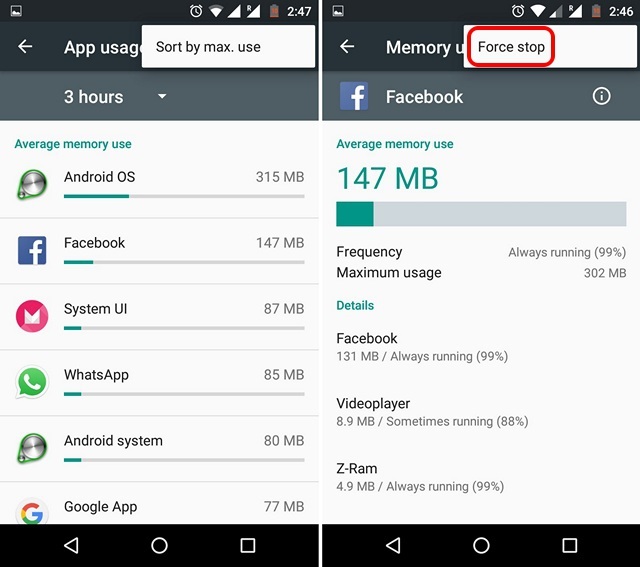
When you're deep into a gaming session, the last thing you want is for your game to stutter or crash. Clearing RAM can significantly boost your gaming experience by freeing up memory that might be hogged by background applications. This leads to:
- Smoother Gameplay: With more RAM available, your device can run games more efficiently, allowing for better graphics and frame rates.
- Faster App Loading Times: Clearing out unnecessary processes helps your games load quicker, getting you into the action faster.
- Reduced Lag: Less clutter in your RAM means your device can respond more quickly to your commands, which is crucial in competitive gaming.
In Malaysia, where gaming communities are rapidly growing, being at the top of your game is essential. Managing your RAM effectively can provide you with that competitive edge.
Methods to Clear RAM
There are several effective methods to clear RAM on your Android device, whether you're a tech-savvy gamer or just getting started:
1. Manual RAM Clearing
Most Android devices allow you to manually clear RAM through the following steps:
- Go to Settings.
- Tap on Apps or Applications.
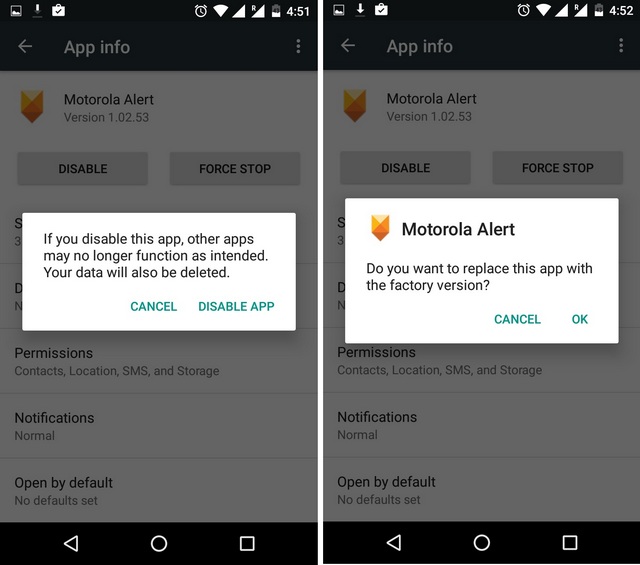
- Select the apps you’re not using and tap Force Stop.
- Return to the main settings menu and tap on Storage to clear cached data.
By doing this, you can free up a significant amount of RAM without needing any additional tools.
2. Using Built-in Features
Many modern Android devices come equipped with built-in RAM management tools. To access these:
- Open the Settings app.
- Navigate to Device Care or Device Maintenance.
- Tap on Memory, then select Clean Now or a similar option.
This feature automatically detects and clears unnecessary background processes, optimizing your RAM usage.
Best Apps for RAM Management
While manual methods and built-in features are useful, there are also several apps designed specifically for RAM management. Here are some of the most effective ones available in 2026:
- CCleaner: A popular app that not only clears RAM but also helps optimize storage and remove junk files. It provides a user-friendly interface and detailed insights into your device's memory usage.
- Greenify: This app is great for hibernating background apps that consume RAM, ensuring your games run smoother without interruptions.
- RAM Booster: This app focuses on freeing up RAM quickly and efficiently, making it a top choice for gamers who need quick fixes.
Utilizing these apps can help streamline your device's performance, especially when engaging in more demanding gaming sessions.
Tips for Gaming Performance
Beyond clearing RAM, optimizing your gaming experience on Android involves additional strategies:
- Keep Your Device Updated: Regular software updates can enhance performance and fix bugs that may slow down your device.
- Close Unused Apps: Ensure that apps running in the background are closed when gaming to free up RAM.
- Use Game Mode: Many Android devices have a dedicated gaming mode that optimizes resources specifically for gaming.
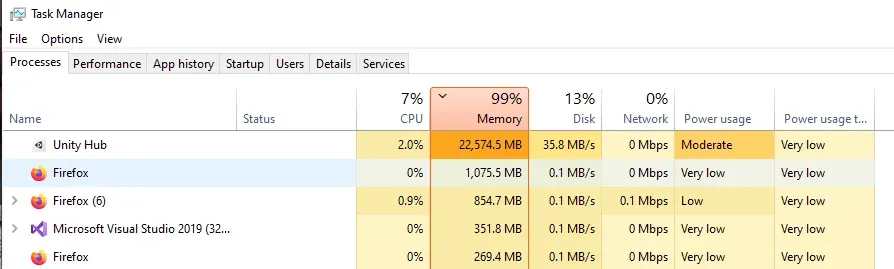
- Disable Animations: Reducing or turning off animations in the developer options can also help improve responsiveness.
Implementing these tips can further elevate your gaming experience, ensuring that you remain competitive in the vibrant Malaysian gaming scene.

Conclusion
Effectively managing RAM on your Android device is crucial for achieving optimal gaming performance in 2026. By implementing the methods outlined in this article—whether through manual clearing, leveraging built-in features, or using dedicated apps—you can significantly enhance your gaming experience. Remember, a smooth gameplay experience not only enhances enjoyment but also gives you the competitive edge you need to succeed in Malaysia's dynamic gaming landscape. So, clear that RAM and get ready to game!
FAQ
- Does clearing RAM improve gaming performance? Yes, clearing RAM can enhance gaming performance by freeing up memory that allows your games to run more smoothly and efficiently.
- What are the best apps to clear RAM? Some of the best apps include CCleaner, Greenify, and RAM Booster, each offering unique features for optimal RAM management.