Everything You Need to Know About Your Gameplay Video Camera Setup in 2026
As the Malaysian gaming community continues to grow, so does the demand for high-quality gameplay videos. Whether you’re streaming on platforms like YouTube or Twitch or participating in local gaming conventions, having the right video camera setup is crucial for enhancing your content. In 2026, it’s essential to focus on the right equipment, lighting, audio quality, and accessories to ensure your gameplay videos stand out. This guide will walk you through everything you need to know about your gameplay video camera setup.
Choosing the Right Camera
The foundation of a great gameplay video is the camera. In 2026, gamers have a variety of options to choose from, including DSLRs, mirrorless cameras, and webcams. Each type has its strengths, making them suitable for different setups and budgets.
- DSLRs: Digital Single-Lens Reflex cameras, like those from Canon, offer excellent video quality and versatility. With interchangeable lenses, you can adapt to various shooting conditions. They’re perfect for gamers looking to create professional-grade videos.
- Mirrorless Cameras: These cameras combine the quality of DSLRs with a more compact design. Brands like Sony and Panasonic have great options that produce stunning video quality and are highly recommended for gameplay recording.
- Webcams: If you’re on a budget or just starting, high-quality webcams from brands like Logitech can still deliver impressive results. The Logitech C920, for instance, is popular among streamers for its ease of use and decent video quality.
When choosing a camera, consider your goals, budget, and the type of content you want to create. Each camera has a unique set of features that can impact your gameplay videos significantly.

Lighting Setup
Lighting plays a pivotal role in video quality. Proper lighting can dramatically improve the overall look of your gameplay videos, making them more appealing to viewers. Here are some basic lighting setups and recommended equipment:
- Key Light: A primary light source is essential. Softbox lights or LED panels can provide even illumination. Brands like Neewer offer affordable options that are perfect for gamers.
- Fill Light: This is used to soften shadows created by the key light. You can use a ring light or another softbox to achieve a balanced look.
- Back Light: Adding a light behind you can help separate you from the background, creating a more polished look. Consider using LED strips for this purpose.
Additionally, make sure to avoid harsh lights that can create unflattering shadows. Natural light can also be a great ally; just be mindful of how it changes throughout the day.
Audio Considerations
While video quality is essential, audio quality is just as important. Poor audio can quickly turn viewers away, no matter how good the visuals are. Here’s how to ensure your audio setup is top-notch:
- Microphone Quality: Invest in a good microphone. USB microphones like the Blue Yeti or XLR options like the Shure SM7B offer excellent sound quality. These are popular among streamers and content creators for their clarity.
- Microphone Placement: Place your microphone close to your mouth but out of the camera's view. This will help capture your voice clearly while minimizing background noise.
- Audio Interface: If you opt for an XLR microphone, an audio interface like the Focusrite Scarlett can help you connect it to your computer and improve audio quality.
Always perform sound checks before starting your stream or recording to ensure everything sounds just right.
Best Accessories for Streaming
To enhance your gameplay video setup, consider these essential accessories:
- Tripods: A sturdy tripod is essential for stabilizing your camera. Look for adjustable tripods that can easily accommodate different camera heights and angles.
- Green Screens: If you want to add a professional touch, a green screen allows you to overlay your gameplay with interesting effects or backgrounds. Brands like Elgato offer portable solutions that are easy to set up.
- Capture Cards: If you're recording from a console, a capture card is a must-have. The Elgato HD60 S+ is highly regarded for its performance and compatibility.
These accessories can help elevate your content, making it more engaging and visually appealing for your audience.
Setup Techniques for Optimal Video Quality
Once you have your equipment and accessories, it’s time to optimize your setup for the best video output. Here are some techniques to consider:
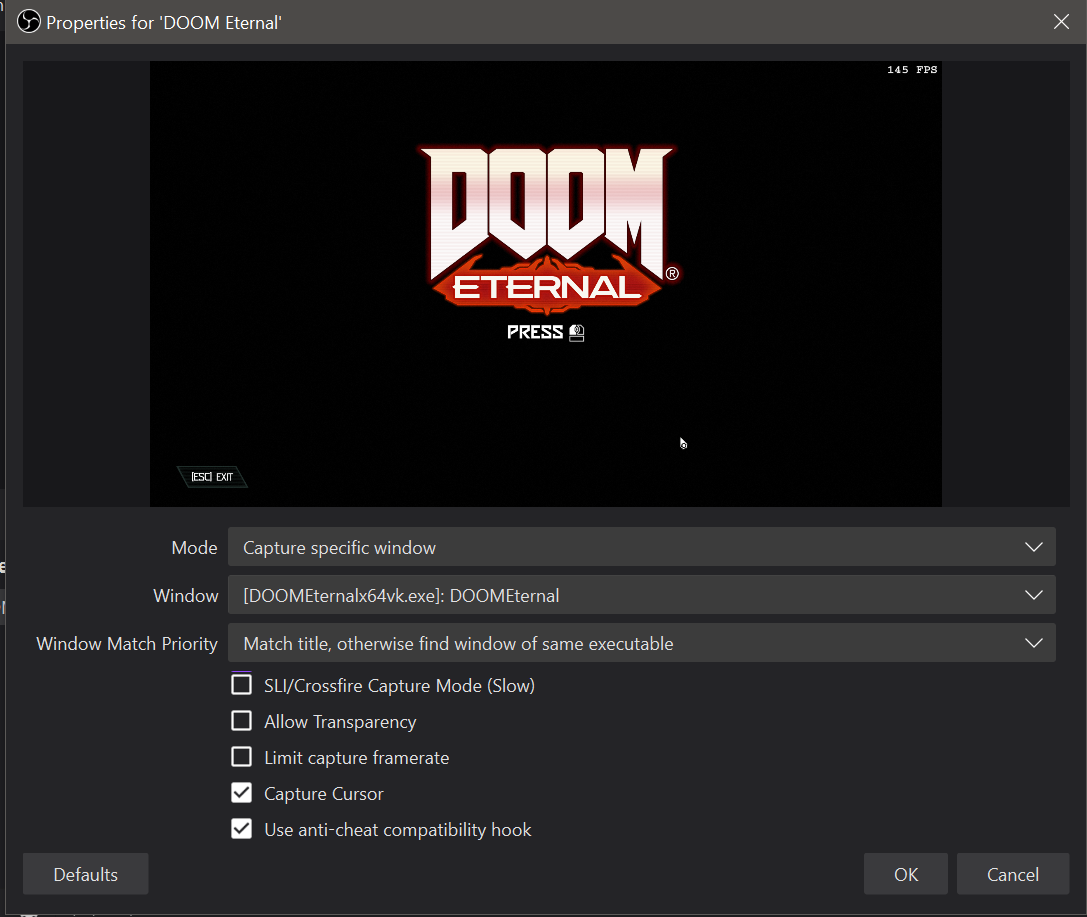
- Camera Settings: Adjust your camera settings according to the environment. A frame rate of 30fps is standard for gameplay, but 60fps may be better for fast-paced games.
- Resolution: Aim for at least 1080p resolution to ensure clarity. If your equipment allows, 4K can provide even sharper visuals.
- Background Setup: Keep your background tidy and relevant. A clean space keeps viewers focused on the gameplay. Consider adding gaming memorabilia or branded elements to enhance your channel’s identity.
Ultimately, the goal is to create a professional-looking video that captures your personality and gaming skills. Experiment with different setups and techniques until you find what works best for you.
FAQs
What equipment do I need for gameplay videos?
For quality gameplay videos, you'll need a good camera (DSLR, mirrorless, or webcam), a reliable microphone, proper lighting equipment, and accessories like a tripod and capture card. Brands like Canon, Logitech, and Elgato offer excellent options.
How can I improve my video quality?
Improving video quality involves optimizing your camera settings, ensuring proper lighting, and using high-quality audio equipment. Additionally, consider your background setup and experiment with different angles to find the most flattering view.
In 2026, creating captivating gameplay videos is more accessible than ever with the right camera setup. By focusing on your equipment selection, lighting, audio considerations, and optimal setup techniques, you can elevate your content and engage the Malaysian gaming community more effectively. Happy gaming!